A Practical Guide to Boosting Your Work with Artificial Intelligence: A Skill-Building Ebook for Professionals
Artificial intelligence can make everyday work faster, clearer, and more consistent—without requiring a computer science degree. The key is learning practical workflows: choosing the right use cases, writing clear instructions, reviewing outputs responsibly, and measuring results. This guide breaks down what to learn, how to apply it to a current role, and how an AI-focused ebook can help build repeatable habits for real workplace gains.
What “learning AI for your current job” actually means
Getting value from AI at work isn’t about chasing every new tool. It’s about applying a reliable method to the tasks you already do—writing, summarizing, analyzing, planning, and communicating.
- Focus on tasks, not tools: Drafting, summarizing, analyzing, planning, and communicating are universal work activities that transfer across platforms.
- Adopt a workflow mindset: Define the goal, provide context, generate a draft, verify, then finalize.
- Treat AI as a junior assistant: Great for speed and structure, but not a source of unquestioned truth.
- Build confidence through repetition: Small daily use beats occasional complex experiments.
High-impact use cases by role (and what to delegate first)
The fastest wins come from delegating “first drafts” and “first passes” that normally consume time and attention. Start where the stakes are moderate and the review is straightforward.
- Operations: Standard operating procedures, checklists, incident summaries, meeting action items.
- Sales and account management: Discovery questions, call recap emails, proposal outlines, objection-handling scripts.
- Marketing and content: Campaign briefs, audience research summaries, messaging variants, editorial calendars.
- HR and people ops: Job description drafts, interview question banks, policy summaries, onboarding plans.
- Finance and analytics: Narrative summaries of reports, variance explanations, scenario assumptions, spreadsheet formula help.
- Project management: Risk registers, stakeholder updates, timeline drafts, RAID logs, retro notes.
Quick wins: tasks to start with this week
| Task type |
Example output |
Why it helps |
Human check needed |
| Summarizing |
1-page meeting recap with decisions and owners |
Reduces time spent rewriting notes |
Confirm accuracy; remove sensitive info |
| Drafting |
First draft of a client email or internal memo |
Speeds up writing and improves structure |
Verify tone, facts, and commitments |
| Planning |
Step-by-step project plan with milestones |
Creates a starting point quickly |
Adjust to real constraints and dependencies |
| Research synthesis |
Pros/cons list from provided sources |
Organizes information for decisions |
Check sources; watch for hallucinations |
A simple 30–60–90 day learning plan that fits a full-time schedule
Progress comes from building repeatable habits, then scaling them responsibly.
- Days 1–30: Build fundamentals—clear instructions, examples, constraints, and a consistent review checklist.
- Days 31–60: Apply AI to two recurring workflows (for example: weekly reporting and stakeholder updates) and document a repeatable template.
- Days 61–90: Scale responsibly—create team guidelines, quality checks, and lightweight metrics (time saved, error rate, satisfaction).
- Keep a “before/after” library: Store anonymized examples that prove value and improve future outputs.
How to communicate with AI so results are usable
Usable results usually come from specificity. When AI fails at work, it’s often because the request didn’t include audience, constraints, or the source inputs needed to be accurate.
- State the outcome: Define what “done” looks like (length, format, audience, tone).
- Provide context: Share your role, constraints, prior decisions, and what has already been tried.
- Supply inputs: Paste the source text, data, or bullet notes whenever possible.
- Ask for options: Request 2–3 variants and a short rationale for each.
- Add guardrails: Require citations when using sources, or restrict output to provided material only.
- Use iterative refinement: Generate a first draft, then ask for tighter language, fewer assumptions, or clearer structure.
Quality, privacy, and responsible use at work
Better output quality comes from better review habits. Better risk management comes from clear boundaries and approved tooling. For broader guidance, reference frameworks like the NIST AI Risk Management Framework, the OECD AI Principles, and business-facing guidance from the U.S. Federal Trade Commission.
- Assume outputs can be wrong: Verify claims, numbers, dates, names, and policy references.
- Protect confidential information: Avoid sharing sensitive client data, personal data, or proprietary material in unsecured tools.
- Create a review checklist: Factual accuracy, compliance, tone, bias risks, and stakeholder impact.
- Know where AI helps and where it doesn’t: Strategy decisions, legal conclusions, and medical guidance require expert review.
- Document usage standards: Define what can be shared, how outputs are labeled, and who approves final deliverables.
What to look for in an AI ebook for professionals
Professional skill-building resources are most useful when they translate directly into deliverables and routines. Look for materials that reduce guesswork and help build consistency.
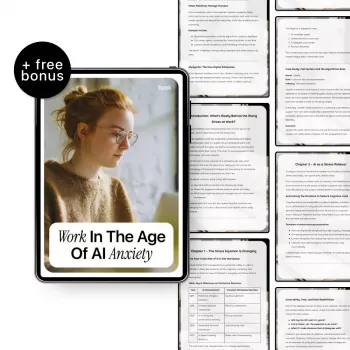
Recommended resources to build repeatable AI habits
At-a-glance details
| Item |
Details |
| Format |
Ebook |
| Best for |
Professionals learning AI skills for current responsibilities |
| Price |
$15.99 (USD) |
| Availability |
In stock |
FAQ
How can AI help without replacing judgment or expertise?
AI is most valuable as a drafting, summarizing, and organizing assistant that speeds up preparation and improves structure. Human judgment still controls accuracy checks, policy alignment, stakeholder impact, and final decisions.
What should never be shared with AI tools at work?
Don’t share confidential client details, personal data, credentials, internal financials, unreleased product information, or proprietary documents unless your employer explicitly approves the tool and the sharing method. Follow company policies and use approved, secure systems for sensitive work.
How long does it take to become effective with AI in a non-technical role?
Quick wins often show up within days when you use AI for summaries and first drafts. Building reliable, repeatable workflows typically takes 30–90 days of consistent practice, templating, and review.
Recommended for you







Leave a comment